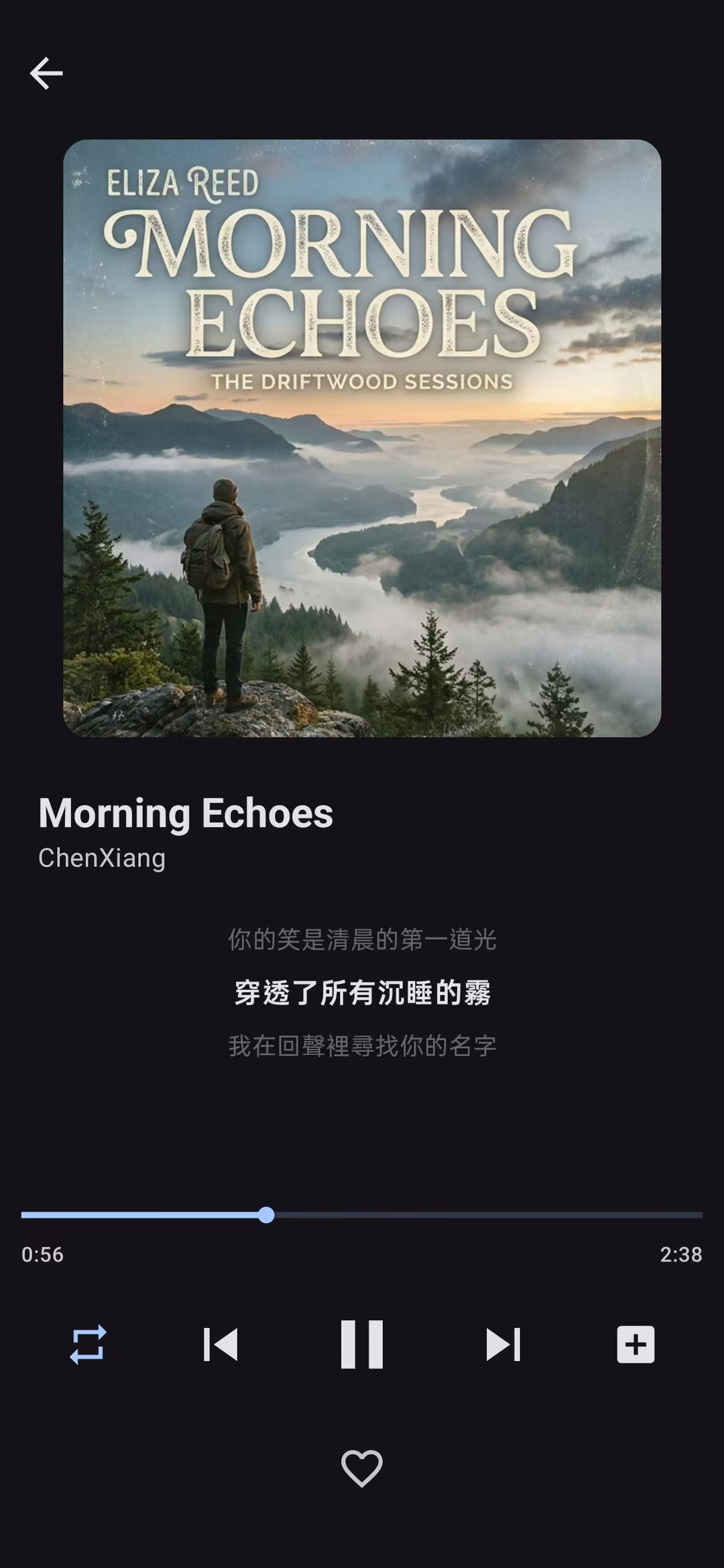
No network, no account, nothing uploaded. Your music files stay on your own device; the player only plays them.
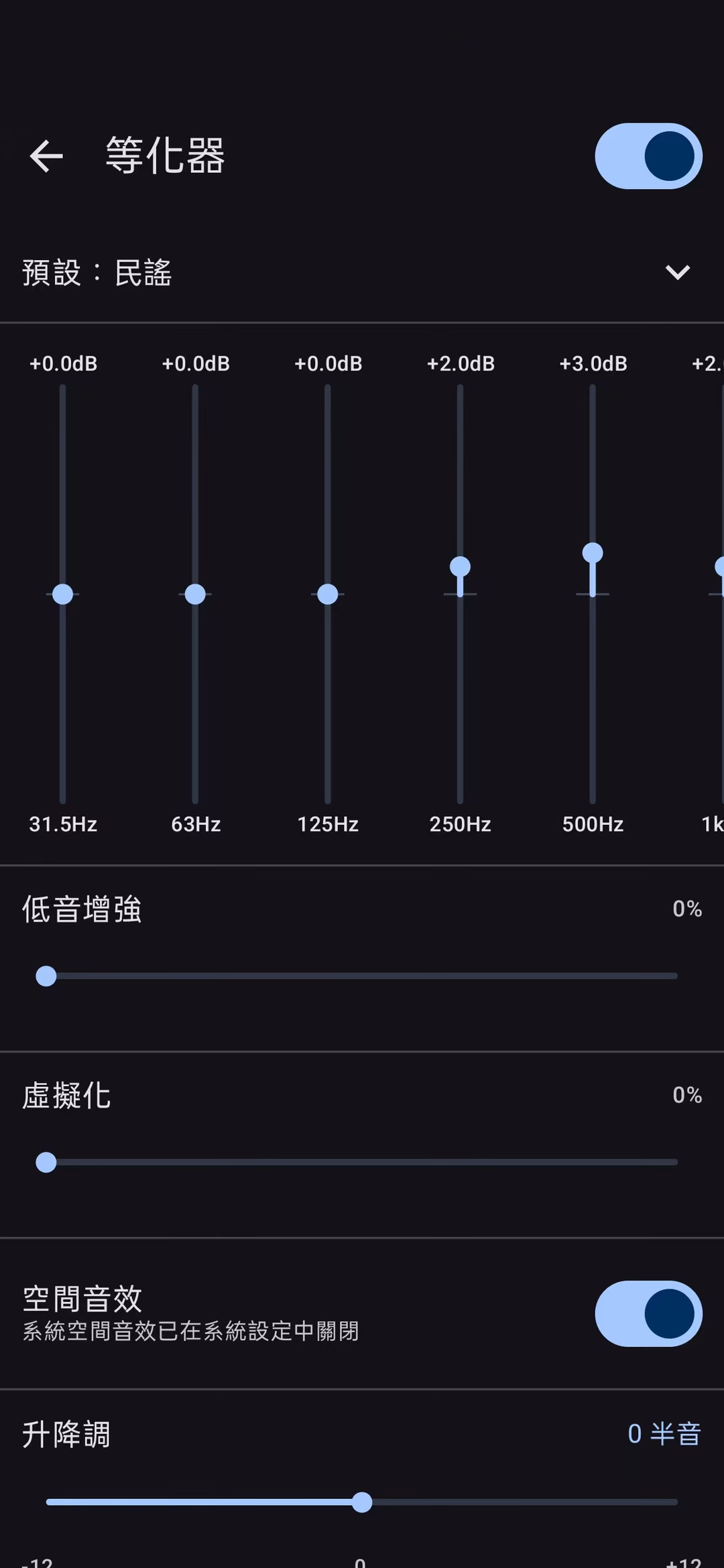
Sound quality taken seriously
A 10-band equalizer and the system spatial audio, and different folders or playlists can each have their own settings.
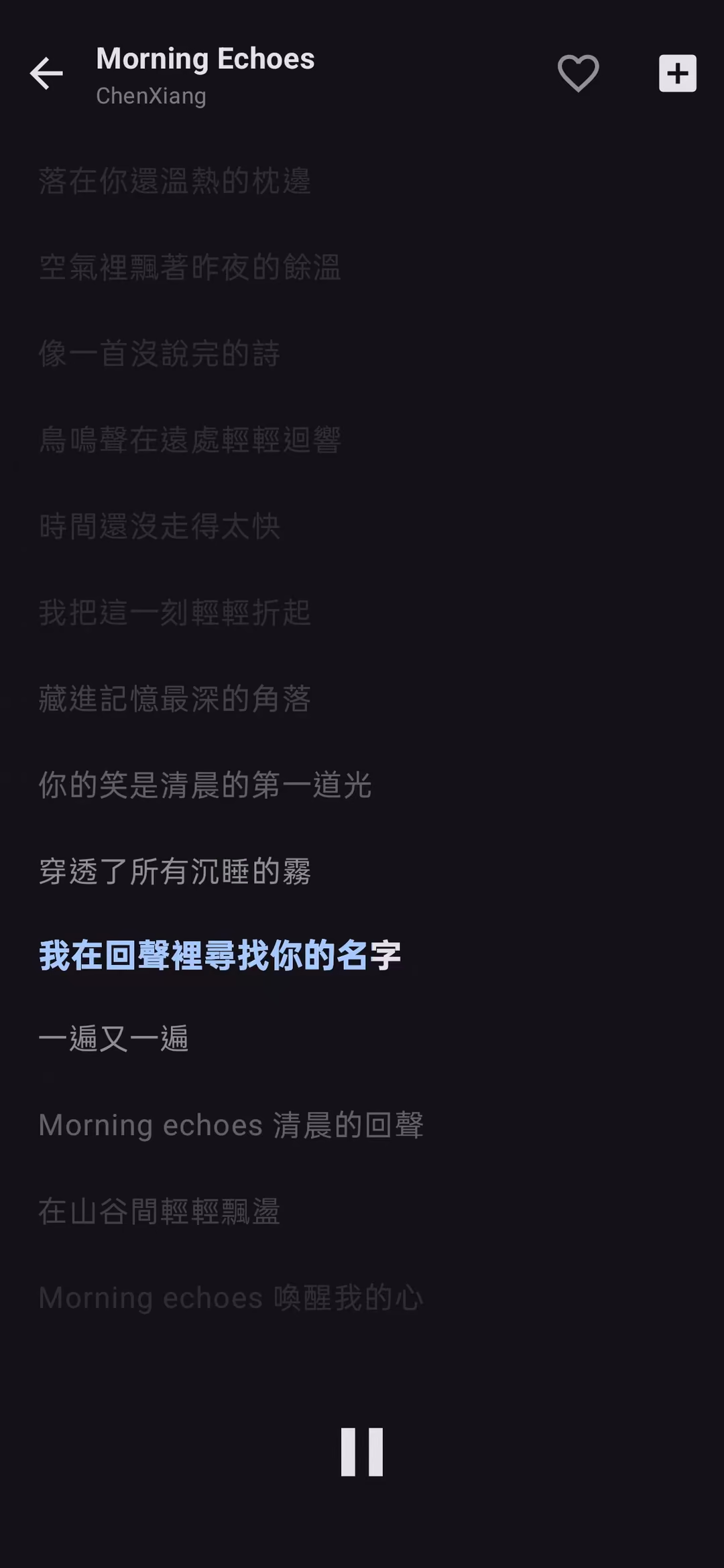
Lyrics done properly
Line-by-line sync, karaoke-style highlighting, and bilingual lyrics you can reorder. Reads both embedded lyrics and external LRC files, and lets you edit the timeline yourself.
Feature comparison
Describes the currently released version of each app. Past changes are in the version history.
Feature
Android
Library management
Searches title, artist, album, folder
Large libraries
Smooth with a million tracks (measured)
Equalizer
10 bands, 11 presets including a custom slot
Audio effects
Bass boost, virtualizer, spatial audio (where the device supports it)
Speed and pitch
0.5×–2.0× speed, −12 to +12 semitones, independent of each other
Audio output
System output
DSD playback
Not supported
Lyrics
Full-screen lyrics, karaoke highlighting, translation line, swap the two languages
Lyrics editing
Built-in editor, shift the whole timeline
Edit metadata
Written back to the audio file
Format conversion
Not supported
Playlists
Custom icons, independent playback mode
Shuffle
Weighted by listening habits; every track exactly once within the range, resumes after restart
Themes
6 accent colours + dark mode
Interface languages
15 (including Indonesian and Vietnamese)
Sleep timer
15 / 30 / 60 minutes, custom, or end of current track
Background playback
Background playback, lock-screen controls, Bluetooth and car media keys
Installers are served from our own domain dl.cxapps.app, which is backed by Cloudflare R2; when you download, Cloudflare’s privacy policy applies to that connection. Privacy
This is an APK, so installation takes one extra step
The app is not published on Google Play, so you install the APK directly. The first time, Android asks whether to allow installing apps from this source — your browser or file manager. Agree to that.
The system or Play Protect may then say it does not recognise the developer; choose to continue. The wording and the number of steps differ between manufacturers, but they are asking the same thing.
If you would rather verify the file first, check it against the SHA-256 checksum above using a file manager or a checksum tool.
Checking this file yourself
The SHA-256 above answers one question: whether the file you have is the same one we published.
A mismatch means the file you have is not the one we published. Do not install it; download it again. If it still does not match, tell us through the reporting channel in the footer — we may well be the side that made the mistake.
It cannot answer two other questions: whether the file we published is itself trustworthy, and whether it was built from the source code listed on this page.
This build is not a reproducible build either, and the gap is wider: release builds go through R8 shrinking, and the signing key is not in the source tree (signing keys should not be published). An APK you build yourself will therefore always differ from the one we publish — a mismatch there is expected. You can still build your own copy, but know the cost first: your signature differs from ours, so it cannot be installed over an existing install. You must uninstall first, and uninstalling wipes everything this app holds on your device — play counts, playlists and favourite marks are all gone.
No automatic updates
Apps installed from Google Play update themselves; an APK installed directly does not. You will not be notified when a new version is released.
The filename is the short hash of the commit, not a version number — source code and releases do not always move together. The archive is produced by git archive from that commit.
Public source means you can review line by line what it does. It does not mean the download above was necessarily built from this source — we have not verified that, and the two are separate things. Checking this file yourself
Original repository
github.com/hnshysglxfsccx-hub/cxmusic-android
Nothing at this address has changed or been lost, but the account has been restricted by GitHub, nobody can open it, and we no longer expect it to be restored.
Completely free — no ads, no in-app purchases, no subscription. The source code is published under the MIT licence.
Do I need an account?
No. Neither application has an account system.
Does it upload my music or usage data?
No. The applications do not connect to the network and have no telemetry or reporting of any kind. Your files and playback history stay on your own device.
Why does a security warning appear during installation?
Because the package does not carry a purchased code-signing certificate, and Android warns about packages from unrecognised sources. The installation notes above give the exact steps, and you can verify the file yourself with the SHA-256 checksum.
Which audio formats are supported?
The full list is in the “Supported formats” section above. Those six play on any Android device, with no missing-component risk.
Is there an iPhone version?
Not at the moment. Building an iOS application requires a Mac and an Apple developer account, which is not available for now.
Are the desktop and mobile versions the same software?
No. They are developed separately as independent applications. Their features overlap but are not identical, and settings and data are not shared.
How do I report a problem or suggest a feature?
When reporting a problem, including the application version and your system version is very helpful.
The audio pipeline is a chain of custom ISampleProviders (a hand-built DSP chain on top of NAudio): decode → 18-band equalizer → effects → time/pitch shifting → volume → WASAPI output
Playback position uses the number of samples WASAPI has actually consumed as its single source of truth, avoiding unreliable hardware seek positions
DSF parsing and DSD → PCM conversion are implemented in pure C#
Paged virtualisation with keyset pagination. Scrolling and search were measured on a synthetic library of a million tracks and no stutter showed up; that library has no cover art and no large files, so what was measured is the list and the query themselves.
Shuffle uses Efraimidis–Spirakis weighted sampling without replacement, so every track in range plays exactly once
The permutation is persisted to the database, so it resumes after the process is killed by the system
A virtual queue window keeps only 50 tracks in the player while backing a library of a million
Embedded lyrics are read from ID3 SYLT/USLT, Vorbis Comment and MP4 atoms
Full interface language lists
CX'Music (desktop)
繁體中文 · 简体中文 · English · 日本語 · 한국어 · Español · Français · Deutsch · Português · Русский · Italiano · Nederlands · Ελληνικά · العربية · हिन्दी
CX's Music (mobile)
繁體中文 · 简体中文 · English · 日本語 · 한국어 · Español · Français · Deutsch · Português · Русский · Bahasa Indonesia · Tiếng Việt · Ελληνικά · العربية · हिन्दी
They differ in exactly two slots: the desktop version has Italian and Dutch, the mobile version has Indonesian and Vietnamese. The website itself offers 17 languages — the union of both lists.